Wednesday, May 6, 2020

Bird Nest Challenge

Bird's Nest
"Bird's Nest" by Rugged Lens is licensed under CC BY-SA 2.0 

Nothing says "Spring" like birds making nexts, laying eggs, and hatching adorable babies. Birds gather pieces of grass, straw, possibly leaves, maybe string or fabric, and "glue" them together with mud, as seen in this video:


Your building challenge this week is to build a bird next that meets these rules:
1.  uses nothing outside of nature (no glue, no tape, no play-dough, no Model Magic) 
2. can stay together and hold its shape
3. can support 3 "eggs" (use marbles or dice for eggs).  

Can you do it?  Send me pictures or video of your creation!


Robotics for Social/Emotional Learning

Blog Post written for Wonder Workshop


Robotics for Social/Emotional Learning

When we talk about Robotics, we usually think about computer science, coding, and engineering.  But there are so many more skills that we can develop outside of those areas.  I have found that the greatest amount of growth in a robotics project is in the social emotional learning.  This is right in keeping with the focus of maker education and makerspaces in schools. 

My principal role is kindergarten through fourth grade, so that is where I my experience comes from. My most recent title is STEM Integration Specialist in Oconomowoc, Wisconsin.  I started as the technology integrator, which then changed to technology teacher (I was a drop off class instead of co-teaching with classroom teachers within the content).  Then about 6 years ago, we tore out our computer lab and built a gorgeous makerspace.  Now our kids have an hour a week in which they come to the library/makerspace for class.  Prior to last year we called this “class” library/tech, but we added in a heavier focus on science and engineering and we now call this Library/STEM class. We focus on the design process, engineering building challenges, computer science, robotics, technology basics, video making, and library/research skills.  We are in a fortunate situation in that we do have a lot of technology available, but we still view STEM as a “class, rather than STEM being integrated throughout the curriculum.

STEM and Maker Education are viewed and defined differently no matter where you go, but to me the focus of all the work my students do is on the process, not the product. Some of my favorite benefits of ALL the work we do in the makerspace and with tech, especially robots, are the social benefits.  For kids working in groups, they are learning so much about group work skills - negotiation, listening, clear communication, taking turns, compromising, being supportive.  And even working by themselves, they’re learning how to plan, how to use mistakes as learning opportunities, how to be ok facing a challenge, how to troubleshoot or debug, and the ever important skills of patience and perseverence.  These skills all transfer over outside the makerspace into all their work. 

 A few years after we began our makerspace at Summit one of the classroom teachers called me into her room to check out an activity she was doing with her students - it was a holiday themed STEM building challenge. She had done this activity a couple years in a row and had remarked how each year their level of creativity and attention to detail improved, how their attitude about facing challenges had changed, and how noticeably they worked well in groups to approach the challenge.  She attributed this to activities like group coding challenges and that focus on process not product.  This is why I’m such a strong believer in what we’re doing in STEM education and by creating such rich and engaging exploration opportunities.

Last year I had second grade students work in groups to compete in the Wonder Workshop Robotics Competition.  The extent of my teaching was to be sure they knew how to use the Blockly app, how to pair their iPad with their robot, how to understand the coordinate grid mat, and how to read the challenge cards.  Then within their groups, they established roles or jobs, a system for taking turns and rotating the jobs, and a way to take bits and pieces of each person’s ideas and combine them.  I LOVED seeing them bring each other up, help each other, and make sure every member of their group felt like a part of the process.  The results far exceeded my expectations - the kids who tend to stay out of conversations and activities were actively involved and contributing.  The students with special education needs had jobs that were appropriately challenging for them, but were also critical to the group.  The gifted students had a role in the group that allowed them to be challenged, but also kept them from taking over the activity. It was one of those teacher goosebump moments. 

Often the students motivation and willingness to take on a challenge is organic.  Some of the best learning comes from just handing kids the iPad and the robot and asking them to see what they can do.  I saw this earlier this year with a group of fourth grade girls.  They were completing a coding activity for me, in which they had to complete some of the Wonder Workshop challenge cards (that are regularly provided free for teachers to download), but after completing my challenge, they then went beyond it, trying to get Dash to do a variety of different things. Each time they were successful, they’d add on a little bit harder.  I was merely an observer as these two pushed each other and upped the level of complexity on their own.  That, to me, is meaningful learning for them and something that will benefit them throughout their lives. 

I will continue to use Dash and Dot as a fun, highly engaging, highly motivating tool in my library/STEM classes, because I love how much my students grow through using them.

Recording of Webinar for Wonder Workshop

Dash and Dot Robots have been a huge hit in our Library/STEM classes.  Kids have had so much fun playing with them, learning with them, and participating in coding challenges.

 I was given the opportunity of presenting a talk in early April about the many ways we can use our Dash and Dot robots outside of my Library/STEM classes: for math, science, reading, and more!  Please feel free to check out the talk at this link:

Presentation Slides

Video Replay


Thursday, April 9, 2020

Easter Weekend Challenge


Royalty-free easter egg painting photos free download | PxfuelCan't have Easter without eggs, and that, of course, means we need to do the Egg Drop Challenge. 


Problem: Build a contraption that will protect an egg when it is dropped from a height.
You can decide with your grown up whether your egg is hard boiled or not. 
5 Easter Eggs Free Stock Photo - Public Domain Pictures
Brainstorm: What materials would be helpful? What shape should you try to create? 

Plan: Draw your design and list your materials.  Don't forget to plan how it will be held together!

Build it


Test:  YOU NEED A PARENT OR GROWN-UP TO DO THIS WITH YOU
Don't try to test indoors - way too much mess!!  Have an adult help you drop your egg (in its contraption) from a height greater than six feet (step ladder, top of a slide, deck, whatever).  After it drops, open the contraption to see if it cracked.  If not, congratulations!

Send me pictures of your contraptions or videos of your tests!

Happy Easter!


Tuesday, March 31, 2020

Drip Drop Challenge

This activity comes from Carson Dellosa Education, STEM Challenges box

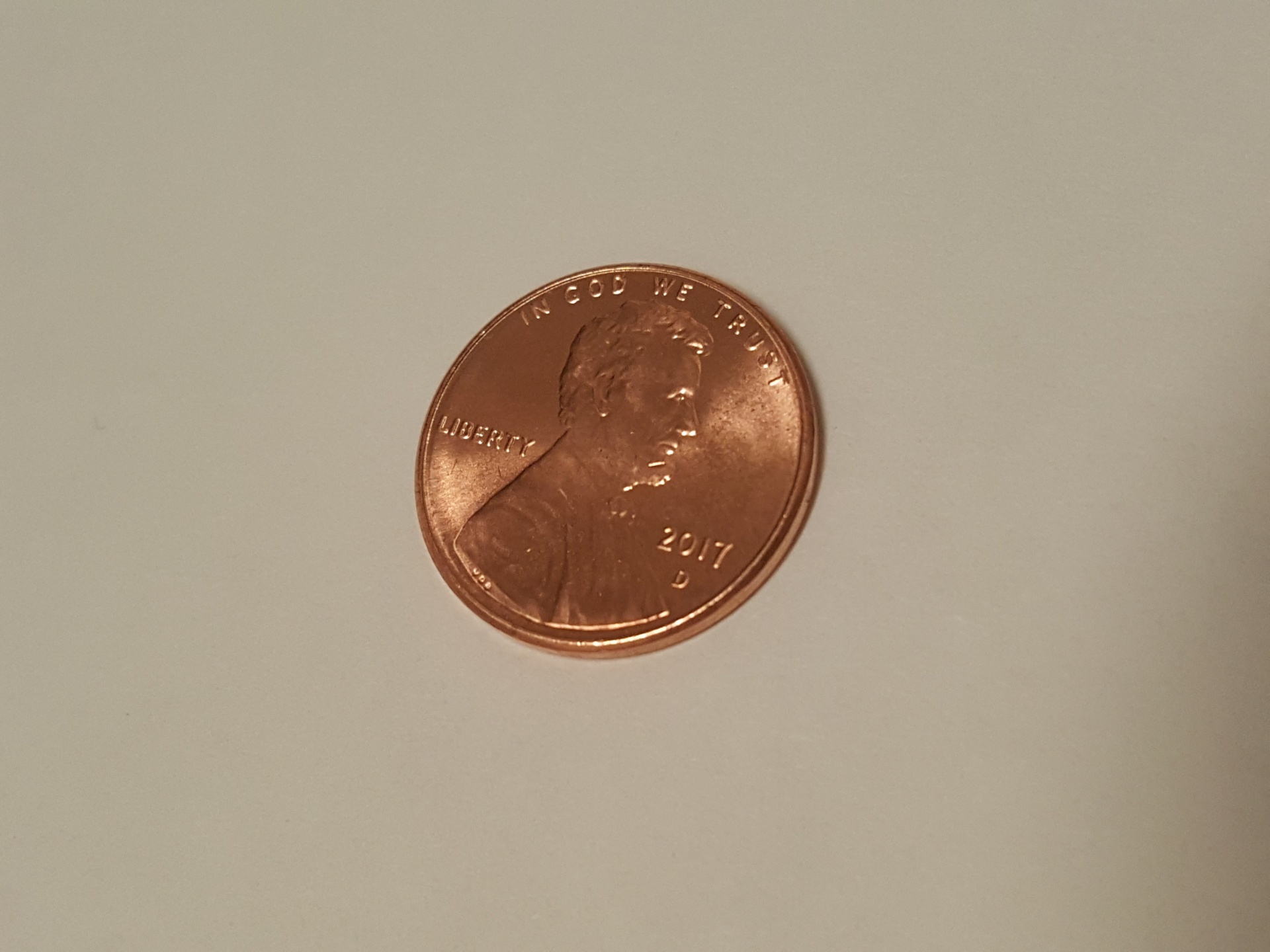
How many drops of water can you fit on a penny? 

Penny Free Stock Photo - Public Domain Pictures


A quarter? 

Quarter,coin,dollar,market,closeup - free image from needpix.com

Is there a way to fit more?

Raindrop On a Leaf | During my lunch break today it started … | Flickr
You need to add one drop at a time, either by using a dropper or by dripping them off the tip of your finger.  Add each one slowly.


Extension: What happens if you add dish soap to the water and repeat the activity?  If you cover the coin in sunscreen first? 

Key concepts: 
Surface tension: the molecules stick together and hold their shape.  You can see this when you look at raindrops on leaves or flower petals, for example.  Mixing other liquids into the water changes the surface tension.

Sunday, March 29, 2020

Coding Instruction from Home

Coding is the common term for Programming, or writing the programs that run apps, websites, etc.  All of this falls under the general title of Computer Science.  When I was growing up, you took computer science classes if you planned to go into a computer science field, which I didn't.  So it was an uncomfortable thing for me to start learning coding, and then building it into my classes.  I started teaching coding about 6 years ago, and now it is an enormous part of what we do, from kindergarten on up.  The kids will tell you that it's my favorite thing to teach.  Part of the reason for that is because the reactions from them when they figure out how to program something.  It is very empowering and exciting for them!

While we're all virtual learning for the next few (weeks? months?) coding is a great way to keep their little brains growing while they are having fun doing it!  The availability of coding resources online has grown incredibly over the last few years.  Now there are free resources (both online and offline) everywhere!  I wanted to share some of my favorites so that you can hopefully share them with your children as well.

Code.org was considered the first kid-accessible site for learning to code with no prior experience.  Over the past half a decade or so, they've expanded the offerings on their site to include extensive courses as well as shorter overviews, courses for non-readers, engaging games and activities, as well as more advanced text-based coding lessons.  If your child has a Google account, they can track their progress and save their projects along the way.

My favorite platform for beginning and intermediate coding lessons is Scratch .  All of my 3rd and 4th graders learn how to code in Scratch, while my k-2 students start out on the iPads on Scratch Jr. It is user friendly and adaptable to kids of all coding levels.  You do need to have an account in Scratch, so I have my students set them up using their regular school username and password, for continuity.

Typing.com (our keyboarding program) and Khan Academy (a home-learning favorite) have both developed coding curriculum along side their original curriculum.  If your child is looking for something new or different than what we do in school, this is possibly the way to go. 

Good luck and have fun!

Friday, March 20, 2020

Spring Break STEM Challenge

Next week is Spring Vacation, although for most of us, there will be no vacations taking place this year! And the snow falling outside today definitely makes it feel like winter still!  Now that you've had a couple days to get used to learning at home, I have a STEM design challenge for you!

Start with this video about engineers

Remember, engineers design things to solve problems.  So think about one of the problems or challenges you've noticed now that we're all learning from home.  Can you design something to solve that problem? 

Start by brainstorming:

  • something to organize your supplies
  • something to keep you comfortable while working at a table
  • a privacy blocker to separate you and your siblings
  • a system to deliver messages to your parents while you're working
  • an iPad stand
  • be creative! 
If you have the materials to create it at home, go for it!  If not, draw a diagram of your plan and label what materials you would use.  

Don't forget to send me a picture or a video!

Tuesday, March 17, 2020

STEM in the age of Virtual Learning - Build a Leprechaun Trap

In the last week, everything we've known and become comfortable with about teaching has been upended.  Due to the growing concern about the COVID-19 Virus and the speed at which it's spreading, most teachers and students are working from home for the foreseeable future.  This seems like as good a time as any to revive this blog and share projects and activities with the families.

Today, since it's St. Patrick's Day, your challenge is to build a leprechaun trap!

This is a fun read-aloud to start out with


The story is that if you can catch the leprechaun, you get his gold. You need to use something gold and shiny as bait to lure him in to the trap. But your trap has to be creative and quick!  Think about what materials you can use.  Here are some suggestions:
  • shoe box
  • tissue box
  • straws
  • string
  • cloth
  • cotton balls
  • sticks
  • bowls
  • tin foil


Build your trap to see if you can catch a leprechaun.  Be sure to send me a picture!
Hope you're having fun with your family at home this week!


Friday, December 7, 2018

Girls Who Code


Girls Who Code is an organization that was founded by Reshma Saujani to address the gender gap in computer science, and to provide computer science opportunities to all girls, regardless of their location and their background.  As part of our STEAM and Storytelling grant through the Oconomowoc Public Education Foundation, we had an official Girls Who Code coding club this fall.  In order for the club to be considered an official club, the leader gets certified online, and the club uses the materials and book provided.

The girls in the club are LOVING it!  We meet once a week and read parts of the book, then complete coding challenge activities using Scratch.  They each have a copy of the book, which many have said they have been reading with their moms at home.  What a powerful message this sends them, that there are clubs and books encouraging them to learn to code.  I hope we will be able to have a follow up club next year and grow the number of participants even more.  


NEW - - Science in the Makerspace

There were several reasons for the changes to our curriculum and structure this year.  One of those reasons was to increase the focus on engineering in the elementary schools.  Subsequently, we adopted a new science curriculum at the k-5 level.  One of the three units at each grade level is a physical science unit.  Each has a final project that is "makerspacey" in nature - heavy on the design process, very open ended, and applying science concepts to a building task.  We are teaching the physical science unit in the Library/STEM classes this year.  We started the year with those units at 3rd grade and 4th grade - Forces and Interactions, and Energy Works, respectively.  It's been a big change for us and for them, but everyone has enjoyed it so far! 

This week we begin the Push, Pull and Go unit in kindergarten, and the Light and Sound unit in first grade.  This will lead to the kindergarten and first grade students spending considerably more time in the makerspace this year than in previous years.  Over the next few years, it will be very interesting to see how this impacts their work on design projects as they get older.  We've seen a change in our current third and fourth graders, now that we've had the makerspace for 4 years, particularly in the amount of creativity and independent thinking they're showing. 

We continue to be so fortunate to have a community willing to support "out of the box" ideas like tearing out a computer lab and building a makerspace.  Our students are showing the benefits of this every year!


Monday, November 12, 2018

Level Up Village

As part of our 2018-19 OPEF grant to develop a STEM and Storytelling program to help engage our girls, we participated in a Level Up Village course this fall.  I have had my eye on Level Up Village for years - they partner students with groups from around the world to study and collaborate on a global issues.  The culminating project is some sort of STEM or Tech project that both schools work on simultaneously.  Participation has been cost prohibitive in the past, so when we were writing our grant proposal, we knew this was  one thing we really wanted to include. 

We were able to enroll one second grade class, and they participated in the LUV course called "Global Storybook Engineers".  During this six week course, we read folk tales from around the world, and identified the problem the characters faced.  The students then applied the engineering design process to make a creation that would solve the problem.  We were partnered with a class from Singapore and had a great time learning about them. 

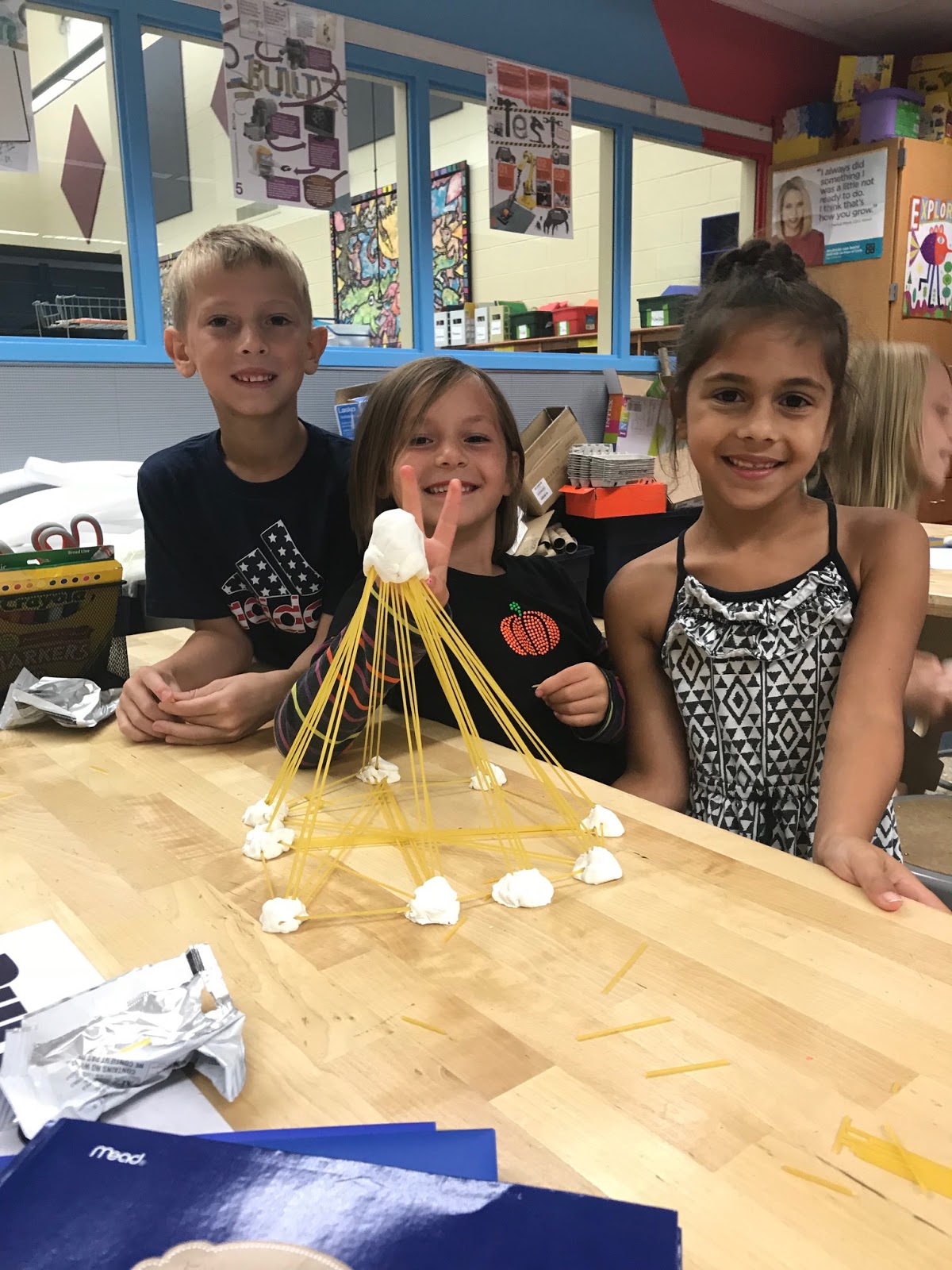
We read Streganona and built towers out of spaghetti that would withstand an avalanche:
We read Fox the Trickster and built boats
And we read Jabuti the Tortoise and made "shell protectors" (aka egg drop challenge!)
The kids loved watching videos from our partner class in Singapore and talking about how we're alike and different.  We're so appreciative of OPEF making this possible for us!


Monday, November 5, 2018

Looking Good!

Little by little we are updating the library furnishings and arrangement to make it more of a flexible learning space.  We were given a Donor's Choose grant at the end of last school year in order to purchase some flexible seating.  It's a great start, and the kids are loving it!


Monday, October 15, 2018

Dot Day

The average adult has likely not heard of Dot Day, but in an elementary school, it can sometimes be a BIG DEAL! The Dot, by Peter H Reynolds, is a favorite read aloud for many librarians and teachers.  The theme of the book is that anything could be art with the right inspiration, and anyone can be an artist. Over the past few years, the idea of Dot Day has developed, in which participants create their own dot, much like the character in the book.  They sometimes make the dot into something, or sometimes just make it full of patterns and colors.


This year, Dot Day fell on a weekend (September 15th) so the week prior, and the week following, we did Dot Day activities here in the makerspace and the library.  I read the book to the 2nd through 4th grade classes, and then we discussed how "anything might be art" translates into our makerspace work.  The kids consistently came up with "anything might be built".  We then looked at a cotton ball through as many different eyes as we could, brainstorming what else it could be.  So much creativity! When I read the book to the K-1 classes, they could choose between drawing a dot on paper with pencils, crayons, or markers; or they could create their dot on our paint program, called Tux Paint.  These kids never fail to surprise me with how creative they are!

Thursday, October 4, 2018

New Year, New Look

Wow it's been a long time since I've posted here.  There is so much new stuff going on at Summit that it's time go get the blog going again! 


This year our district has redesigned my position as part of a district wide commitment to increase the emphasis on science and engineering instruction in the elementary and intermediate schools.  We are adopting a new science curriculum, and my face-to-face time with every class has increased to once a week for 60 minutes and then every other week, an additional 30 minutes.  The GT and tech trouble-shooting roles have been handed to someone else, so that we can all focus on our one area of expertise. 

During our time in the library, students at all grade levels will be working on digital citizenship and online safety, as well as learning how to navigate the library, and checking out books.  The kindergarten, first and second grade will be spending a lot of time on the foundational skills on the tablets and computers, including an extensive coding unit and video production/digital storytelling.  The third and fourth graders will be doing a lot of project driven learning, integrating the technology and coding with the design thinking process that they will design under my guidance.  I am excited to see how this goes this year, and excited to see the enthusiasm of the kids as we get into the routine!


Friday, July 14, 2017

Learn Deep


Earlier this week I had the opportunity to meet with individuals from Learn Deep, a company working to bring innovative learning into schools of all levels throughout the greater Milwaukee area. We met, along with teachers from South Milwaukee High School and Milwaukee Institute of Art and Design, and a representative from the Betty Brinn Children's Museum at the e-Cycling center at Goodwill of Southeastern Wisconsin, in Greendale.  The purpose of this meeting was to start conversations about how school/museum/library makerspaces can partner with Goodwill e-cycling to re-purpose some of the parts that arrive at the recycling center into projects.
Image result for electronic parts
The goal is to easily get these parts into the hands of schools looking to start makerspaces or supply existing makerspaces.  This was a great reminder to me that there are lots of community partnerships that could be formed between schools and organizations looking to unload equipment they no longer use, but want to keep out of the landfills.  It is so important that those involved in makerspaces get involved in these conversations so that organizations know what we could use in our spaces.  Stay tuned as Learn Deep moves forward with this project.  It will be a great way to help all schools grow innovative learning for their students.


Thursday, May 25, 2017

Coding Projects

An annual favorite of mine is the coding project unit that the fourth graders do.  They spend a few weeks learning Scratch, and then they design an activity that uses coding to control, move, animate, draw, or narrate something.  Their ideas are always so creative, and the results are very impressive.  This year's fourth grade group exceeded my expectations for what they planned and designed.  Enjoy looking at some of their projects:

Home-made Drum Set


Homemade Guitar
Digital Artwork

Lego Mindstorms Vehicle

Sphero Soccer programmed to cheer when the they make a goal

Interactive Games

Talking Zoo

Musical Marble Maze


Squishy Circuit Conductive Dough Game Controller

Battling Beasts with WeDo


Narrated T-Rex


Tuesday, May 2, 2017

Amazing what 9 Year Olds Can Do!

Recently the 3rd graders were working on choice projects based off of research using the Wonderopolis site.  I have decided that it is much more fun to teach research, note taking, citing sources, and effective searching when integrated with high interest topics and student choice both on topic and project type.  And this group in particular came up with some great projects!  Looking at them, it's hard to believe these are 9 year olds!

Here are just a few of their awesome projects:


Website Updated

Weve been fortunate to get all sorts of new goodies this year in the makerspace, thanks to generous grants from Donor's Choose, 3M, and our Summit School PTO.  As a result, our website, which is used for teaching, learning, planning, and project galleries, needed an upgrade.  And finally I can say that it is finished (till we get more new goodies and have to upgrade again!! - not a bad problem to have!)

Check it out!

Summit Makerspace

Tuesday, January 24, 2017

Building Challenges

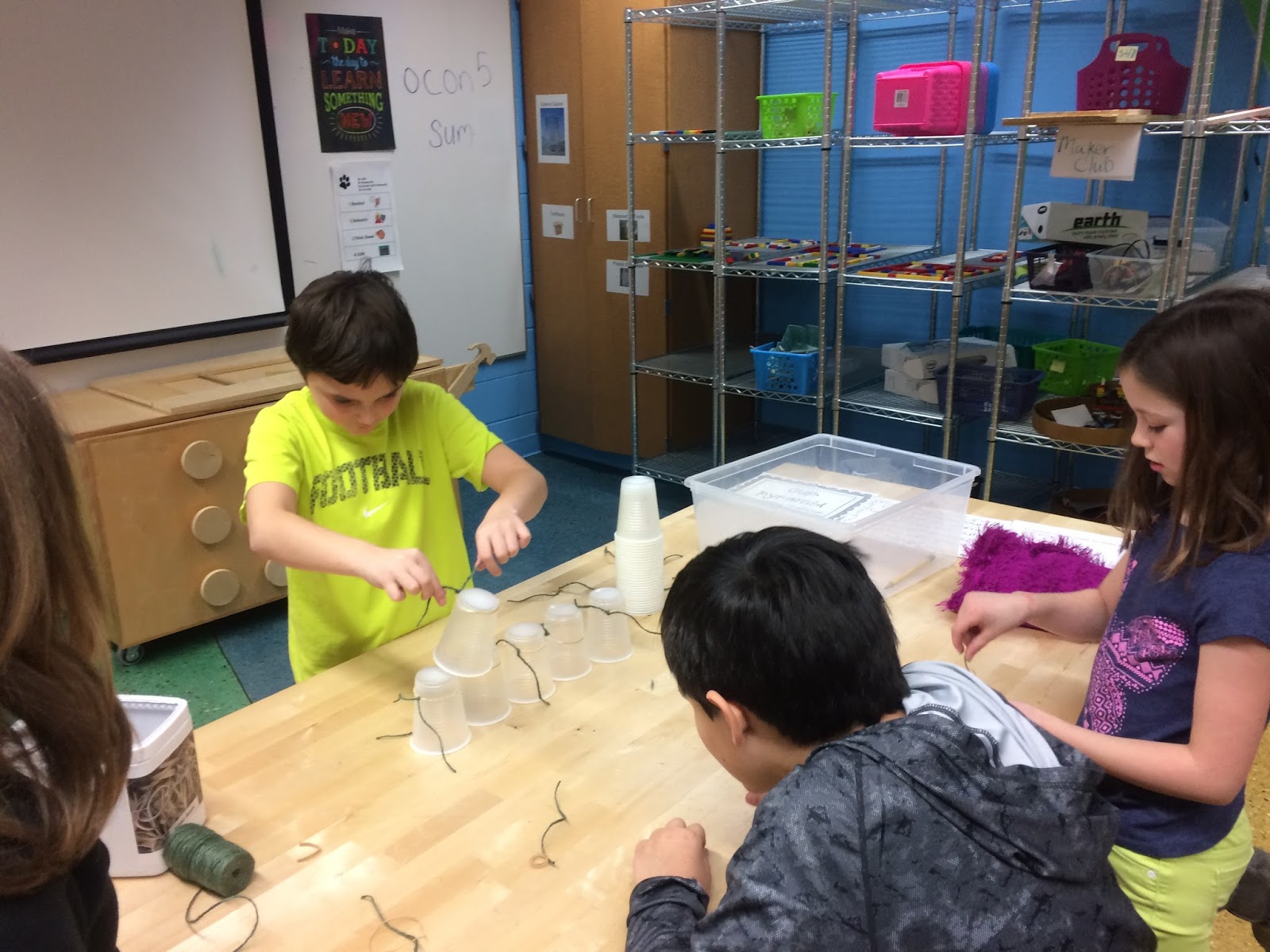
Sometimes you just need to take a brain break.  That's what last week was for the 2nd, 3rd and 4th grade classes.  Kids participated in one of 6 different small group building challenges during their library/tech time.  It was a great opportunity, also, for conversations about group work dynamics, working through challenges, and focusing on the process, not the product.

Maker Club

Our first ever 4th grade Maker Club is coming to a close.  I was so glad that my schedule allowed for this to happen this year, as it's something I've been wanting to do since we first created our makerspace.  The club met during lunch time, and while the kids ate, I taught a mini-lesson about a specific piece of equipment - this allowed the kids to have time with some of the things we don't always get to use during our library/tech classes.  Then they had the rest of our 45 minute time to either do something with the equipment we'd looked at that day, or work on a project of their choice.  They loved the MaKey MaKeys, the Chibilight circuit stickers, and the Dash and Dot robots in particular.
Bloxels
3Doodler Pens

Chibi Lights and Circuit Art

Dash and Dot Xylo

Dash and Dot


Next up is our 2nd grade robotics club, starting in February.

Bird Nest Challenge

"Bird's Nest"   by  Rugged Lens  is licensed under  CC BY-SA 2.0  Nothing says "Spring" like birds making nex...