We are making plans for our first official "Back to School Maker Faire" in September. The students are encouraged to build things (independently or with their families) during the summer, post to our Facebook page, and then bring the projects in for display on our Back to School night in August so that we can share them during the first few weeks of school. I'm hoping we will see lots of fun and creative projects!
This is the information going home to families.
Happy Summer Making!!!
Friday, May 29, 2015

Tuesday, May 26, 2015
2nd Grade Vehicles
Our 2nd Graders just completed a very long and challenging Makerspace project! In science, they were studying force and motion. They conducted experiments with toy cars and ramps and then wrote lab reports to share their findings. In the Makerspace, we took the ideas of force and motion and challenged our students to make a vehicle that traveled FASTER or FURTHER than the toy cars in their experiments. After creating their cars, testing them, fixing them, and testing them again, students made a video using the Explain Everything app on the iPad. This project was difficult for all but it truly taught our students the importance of planning, testing, and trying again. They learned that THEY WILL FAIL but each failure was just a chance to make their projects even better. We often saw students working together to make their vehicles work and collaboration proved to be a very important component in their design process.
Friday, May 22, 2015
Not just for STEAM!
Recently our third graders finished their persuasive writing unit - a unit they've done for years. This year, however, the teachers decided it was a great opportunity to integrate technology, the Makerspace, and the Design Process into their writing time as well! Each student was a part of a "cause group" - working to communicate a message about an issue that affected lives outside of their classroom (for example, protecting the environment or being more physically active). After completing their research, they wrote a presentation to deliver to an audience of families and students at our Celebration of Learning night.

Most groups opted to use technology to help in delivering that presentation (recording a video on the green screen, using the iPads to create a stop-motion animation video, or creating a presentation in Google Slides).

Then they spent some time in the Makerspace, creating a promotional product to convey their message - we talked about, and looked at, lots of logo items that we get at conferences, businesses, etc. that they might use as inspiration (lanyards, bookmarks, brochures, screen cleaners, mugs, pens, and bags, to name a few). Each group voted on a product and design, then worked furiously to mass produce something that they could hand out to audience members who listened to their presentation.

Some groups also opted to make wearable items for themselves, so they could further communicate their message - I saw t-shirts, bracelets and bags.

It was a wonderful culminating activity for them - to take all they've learned in the classroom, in the Makerspace, and on the tech devices this year and put them all together for a purpose! And I LOVED watching the classroom teachers, who a year ago had no idea what a Makerspace was, thinking about ways to integrate both high-tech and low-tech "making" into every part of the school day.


Most groups opted to use technology to help in delivering that presentation (recording a video on the green screen, using the iPads to create a stop-motion animation video, or creating a presentation in Google Slides).


Some groups also opted to make wearable items for themselves, so they could further communicate their message - I saw t-shirts, bracelets and bags.

It was a wonderful culminating activity for them - to take all they've learned in the classroom, in the Makerspace, and on the tech devices this year and put them all together for a purpose! And I LOVED watching the classroom teachers, who a year ago had no idea what a Makerspace was, thinking about ways to integrate both high-tech and low-tech "making" into every part of the school day.

Wednesday, April 29, 2015
Family STEAM Night

Over 100 people graced our cafeteria, Makerspace, library, halls, art room, gym and various classrooms. It was a RAGING success! Upon entering, each family received a STEAM Night packet that listed each activity, location, and extension or enrichment questions to help follow up or promote deeper level thinking. We also had a raffle at the end if students showed work on their packet! When planning, we looked at a great blog called Classroom Quests for a lot of inspiration but also used some ideas we've found are fun while teaching in the Makerspace.
The Activities and Extension/En
Challenge: Build a sculpture or structure using the materials provided by Ms. La Grange.
- What can you add to your design to make it taller?
- Would you do anything different if you were to start again?


Challenge: Answer the clues and complete the physical challenges to solve the final puzzle created by Mr. Dirkmann.
- What was the most difficult clue and why?
- What is a clue you would add to the scavenger hunt if you could?
This was a fun way to incorporate physical movement with mind challenging questions. For example, the first clue was for families to count the number of squares in the picture, add a zero to that number and run to that room number (The answer is 40, so they ran to room 400)


Challenge: Try using a piece of equipment you’ve never used before in the Makerspace.
- What worked well?
- What was difficult about trying something new?
Challenge: Show a family member something you’ve learned how to do this year in the Makerspace.
- Can you explain why it works?
- How would you use this tool/skill/information in life outside of school (a job, a hobby, etc.)?
Challenge: Get a challenge card from the baskets and complete a Lego building or math challenge activity.
- What math did you have to use in building your creation?
- What would you do differently if you were trying the same challenge again?


Challenge: Use the binary code key to create a bracelet that spells your initials in binary code.
- Can you explain what “binary code” is?
- Try writing a word in binary code and have a friend figure out what the word is.
We used a key from the Code.org website that helped us set these up. While it was a fun activity, the idea of "binary code" is pretty advanced and we might want to explain it further during our classes. Compared to all the other fun things we had going on, this station wasn't as popular.
Challenge: Using the materials provided, create a catapult to launch a puff ball.
- How far can you get a puffball to launch?
- Can you change your catapult design to make the puffball go further?
- How does the weight of what you launch affect the distance? (Try launching a small eraser)


This station was a huge hit! We made some examples but we encouraged students to try and make their own design. Then we put graph paper on the floor and let them launch their puff balls and mark where their's landed in comparison to other students. We also provided small erasers so they could see how weight had an affect on distance.
Challenge: Have fun with this mini Cardboard Challenge! Create anything you’d like!
- What did you make? Why?

Our first Cardboard Challenge was such a hit, we figured why not set up another?! It's amazing what families can create with cardboard and duct tape!
Challenge: Create a Thaumatrope (an optical illusion toy from the 1800s).
Challenge: Create a Thaumatrope (an optical illusion toy from the 1800s).
- What happens with you spin the straw more quickly or more slowly?
- Try drawing different pictures. What kinds of pictures work best?
- Choose one thing to change (that’s the variable) and make a prediction.


This station was fun and easy! Definitely something both young and old can do!

Our Green Screen is relatively new and we love showing off all the fun things we can do with it.
Challenge: Use the Green Screen and iPads to be a news reporter.
- What other ways can you think of to use the Green Screen?

Our Green Screen is relatively new and we love showing off all the fun things we can do with it.
Challenge: Go on Code.org and play any coding game you’d like.
- Explain to someone how coding works.
- Why does the order of the steps matter when writing code?

This station literally ran itself. We set up our computers and let Code.org do all the work! Most of our students have been introduced to at least one, if not multiple, activities on the website so we wanted to give families a chance to see how easy coding can be!
Challenge: Go on Code.org and play any coding game you’d like.
- Explain to someone how coding works.
- Why does the order of the steps matter when writing code?


This was a craft and also a fun math game. Quiznos donated boxes that worked perfect to make a cash register and we had so much play money, it looked like a robbed a play bank.
Challenge: Meet the members of the various Robotics teams and see how their robots work.
- How did the Robotics teams get involved in making robots?
- What could you do now to prepare for middle or high school Robotics?

We had two different high school Robotics teams bring their robots, equipment, and videos to share with our students. Our students got to drive the robotics and really interact with the equipment. Some students never left this area! I think we have some future Robotics members on our hands!
Challenge: Examine the archaeological site, also known as “the cookie.” Map your “site” and extract any artifacts, also known as “the chocolate chip.”
- Graph how many artifacts (chocolate chips) you found. How does your number compare with others?
- What was the most difficult part of your archaeological excavation?

For this station, students mapped a cookie and then dug out the chocolate chips with toothpicks. Then they graphed how many chocolate chip cookies were in their cookie on an-all school graph. Not only did we do science and math but we also learned that name-brand cookies had more chocolate chips than the generic version! And we got to eat a cookie when we were done!
Challenge: Launch three angry birds and see how many cardboard bricks you can knock down.
- Which launcher worked best and why?
- Did you have a strategy when launching? What was it?

We (and by "we," I mean our Guidance Counselor Ms. Jens) bought three stuffed Angry Birds from Amazon and we used different launchers from our Phy. Ed. department to knock over cardboard bricks that our 5K rooms let us borrow. Students had to change the angle and force at which they were launching to be successful.
Things we would do again:
- Invite as many Robotics members as we could find! The older students were great with our elementary students and their work was inspiring.
- We used Event Brite to have families sign up before they came and that helped us to plan enough activities and have enough materials. We will definitely use that again!
- Create a packet of activities with extension questions. The night really ran itself once everything was set up.
- I'm lying...we had AMAZING staff members help facilitate each station and we couldn't have done it without their support of our school and the Makerspace program.
We are already planning for our next STEAM night for the 15-16 school year. Any ideas?! Let us know!
Wednesday, April 22, 2015
Sharing our Space
We were honored to share our experience with the district school board at last night's meeting. We showed part of our video and then had some classroom teachers, students and a parent share how the addition of a Makerspace at Summit has changed their school experience. Unfortunately, we were only given a few minutes to talk, because I feel like we could go on and on for hours about all of the exciting things going on as we adopt the Maker Mindset in the space and in our classrooms! And we are so thankful that our board and our administrators have recognized the value of what is going on as well, and continue to support our expansion of it as we look ahead to next year (stay tuned for more on that)!

Tuesday, March 31, 2015
Young Businesswomen!
 Last week, two of our third graders, who have been working since January on building a lemonade/hot chocolate stand in the Makerspace got to see their project come to life. During lunch time they were granted permission from our principal to sell popcorn and lemonade to their peers. I have never seen two young students so enthusiastically embrace a project, and I was also thrilled to see how many other students were inspired and motivated by what they saw the girls do. They started by submitting their proposal to our principal - what would they sell, when would the stand be open, who would their customers be, and what would they do with the profit. Then they "hired" employees and gathered inventory (thanks in large part to their moms who not only helped prepare for the sale, but helped set up, supervise, and clean up as well. They came up with a marketing plan - how would they make sure their classmates knew to bring money the day the stand was open? And they practiced making change and working with money.

Once the stand was open, the other students were thrilled. We started small - selling only to their grade level peers - with the thought that at some point they might be able to expand. Kids in the other grades were begging to have a chance to buy treats during their lunch time, too.


This experience provided them with an opportunity that I don't think any of them will forget. And not only did they have fun, they learned career oriented skills and they inspired others in the school to push themselves on their next Makerspace projects, too!
Wednesday, March 18, 2015
Makerspace Video
Here is a recap of our year so far! If you don't believe in Makerspaces, you will after this video.
Subscribe to:
Posts (Atom)
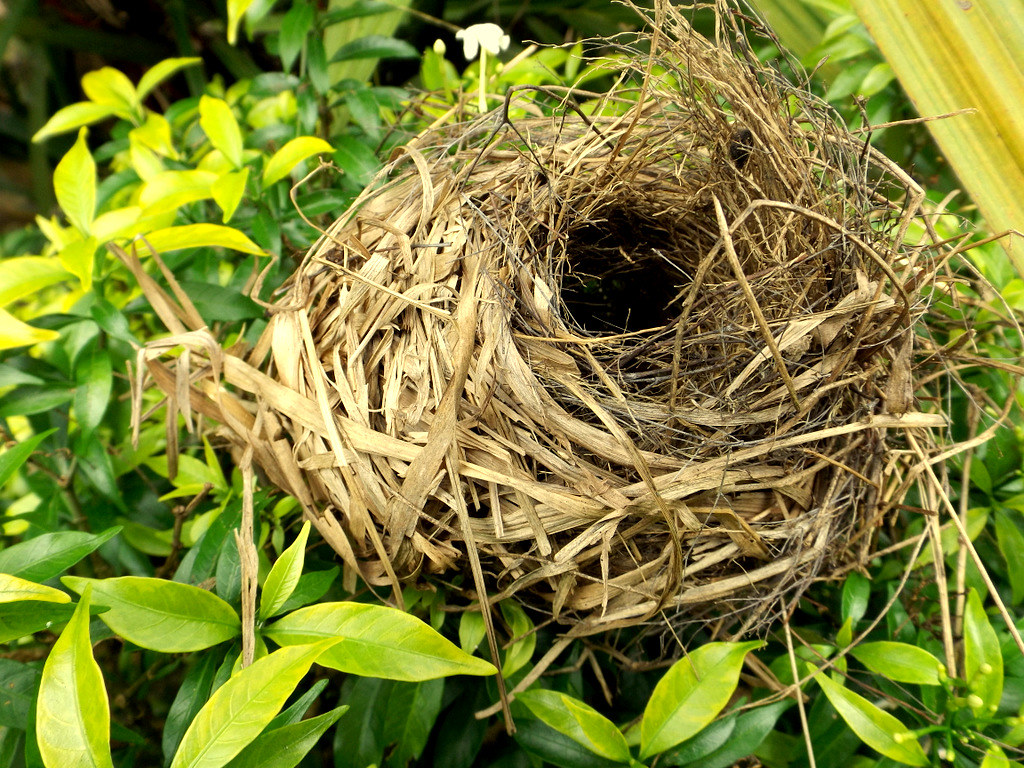
Bird Nest Challenge
"Bird's Nest" by Rugged Lens is licensed under CC BY-SA 2.0 Nothing says "Spring" like birds making nex...
-
 One of my favorite projects so far this year was our first attempt at using the sewing machines . The third grade class was given the chall...
-
Next week is Spring Vacation, although for most of us, there will be no vacations taking place this year! And the snow falling outside today...
-
 Many of the pictures of our space were taken at the beginning of the year when the space hadn't been used yet. Here is a glimpse at wha...

